

1. Syllabus Dashboard With Color-Coded Course Cards
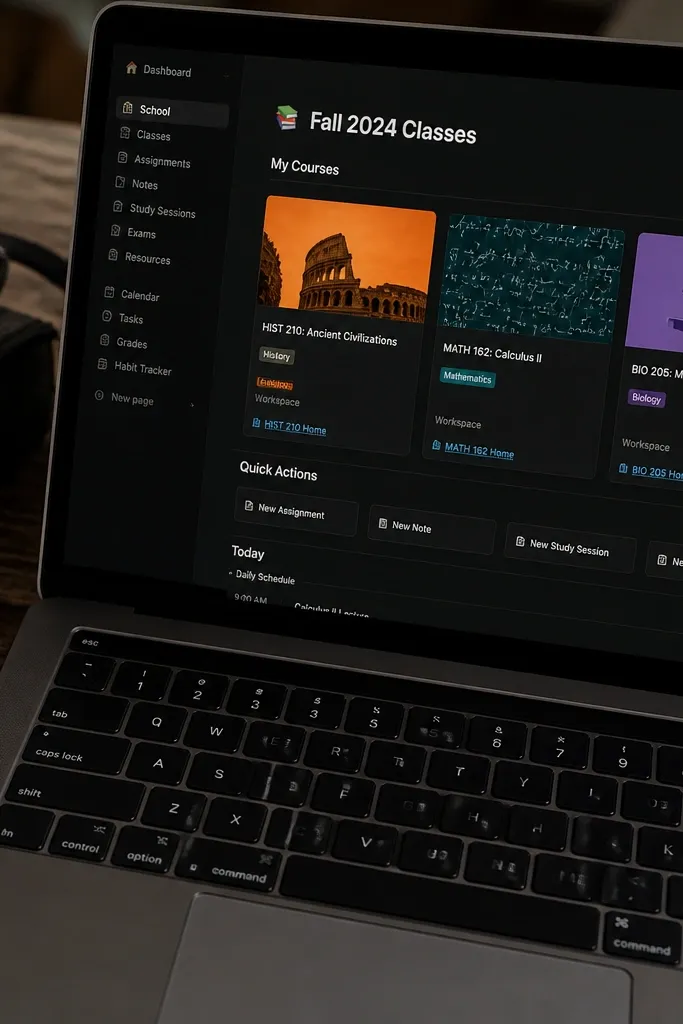
Step 1: Create a top dashboard page with a centered title and a 2-column grid of course cards using linked page buttons (one card per course). Step 2: Add a database called Courses with fields for Course name, Color (as a select), and Start date (date). Step 3: Link each course card to a filtered view of your Assignments database where Course equals that course. Step 4: In each course page, add a small “This week” section using a view filtered to due dates in the next 7 days.
This is the template I’d copy if you want year-round Notion Template Ideas that look organized even when your semester schedule changes. The layout uses a single dashboard page with course cards that link into per-class workspaces. Each card has a clear color tag, so your brain finds the right class in one glance. It’s photogenic because it’s mostly white space, consistent card sizing, and strong headings that stay readable in both light and dark mode. It’s also practical: you can add new courses without redesigning the entire page.
Skip thisAvoid long course summaries on the cards. Keep cards to 1-2 lines or they stop looking clean.
Editor's notePick 3 to 5 course colors max. Too many colors makes the dashboard look busy fast.
2. Weekly Planner Grid With Time Blocks
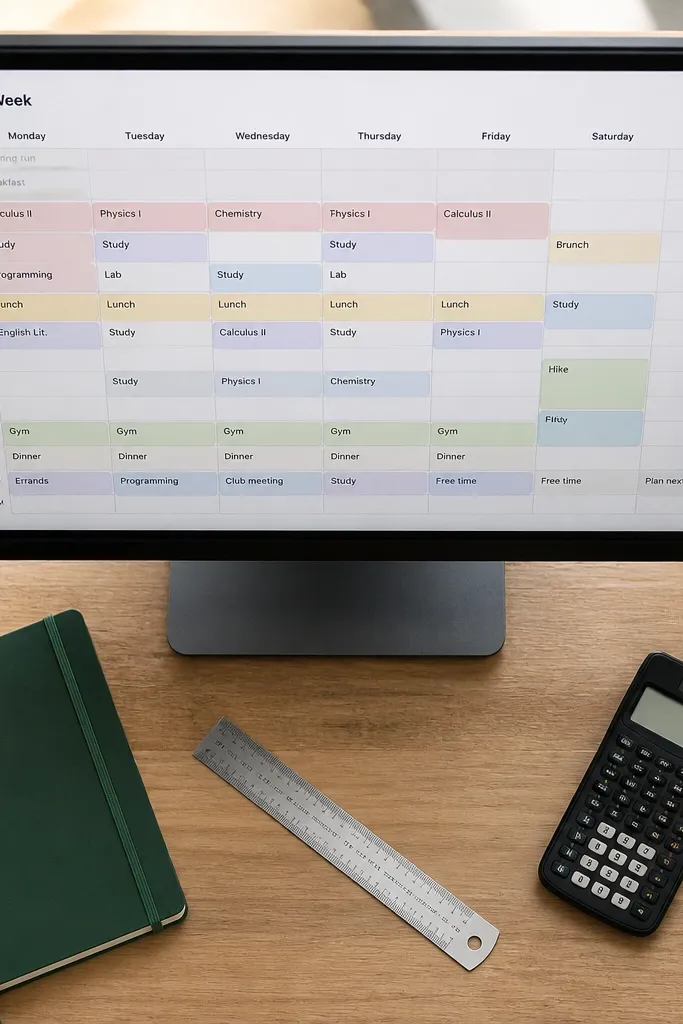
Step 1: Build a database called Weekly Tasks with fields for Date (date), Start time (text or time), End time (text or time), Status (select), and Task (title). Step 2: Create a board or table view that groups by Date and then use a calendar view as your “week at a glance.” Step 3: For time-block look, add a separate section on the weekly page with a 2-column layout: left is “Morning blocks,” right is “Afternoon blocks.” Then link filtered views by Status and Date range.
This template is a visual win because the planner reads like a real desk calendar, not a spreadsheet. It’s great for students who plan their day by time windows, like classes, study blocks, and errands. The grid makes it easy to spot gaps where you can fit work. For year-round Notion Template Ideas, you want a weekly view that you can duplicate every week without reformatting. The template stays photogenic because each block has consistent height, rounded sections, and a clear status color.
Skip thisDon’t make 10 different statuses. Three is enough to keep the grid readable.
Editor's noteUse status colors like “Planned,” “Doing,” “Done” and keep the same color mapping across every view.
3. Assignment Tracker With Progress Rings
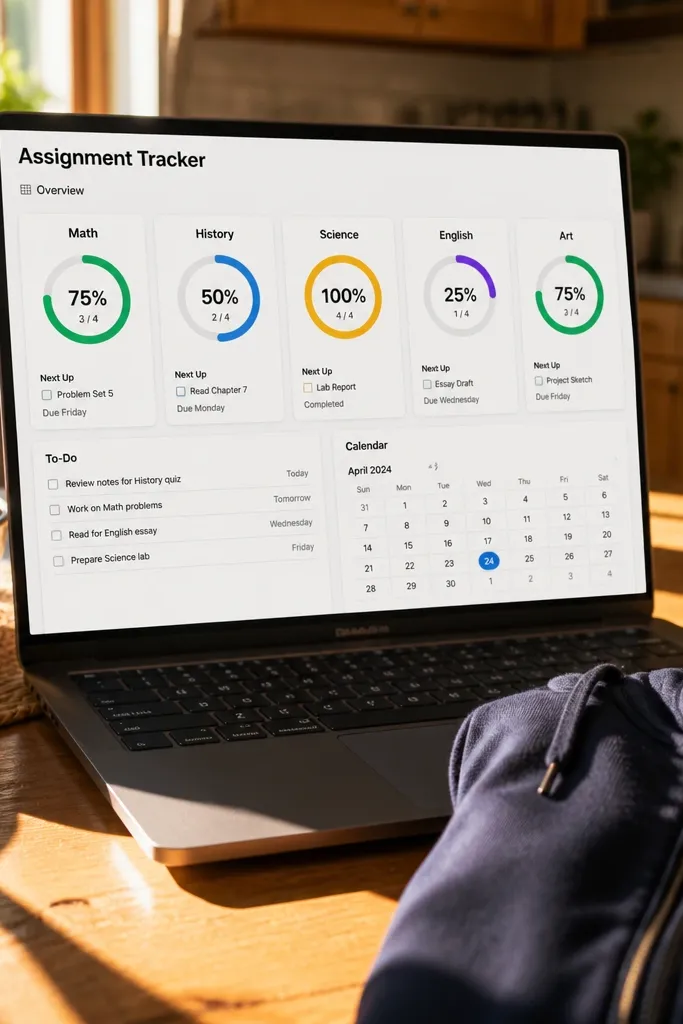
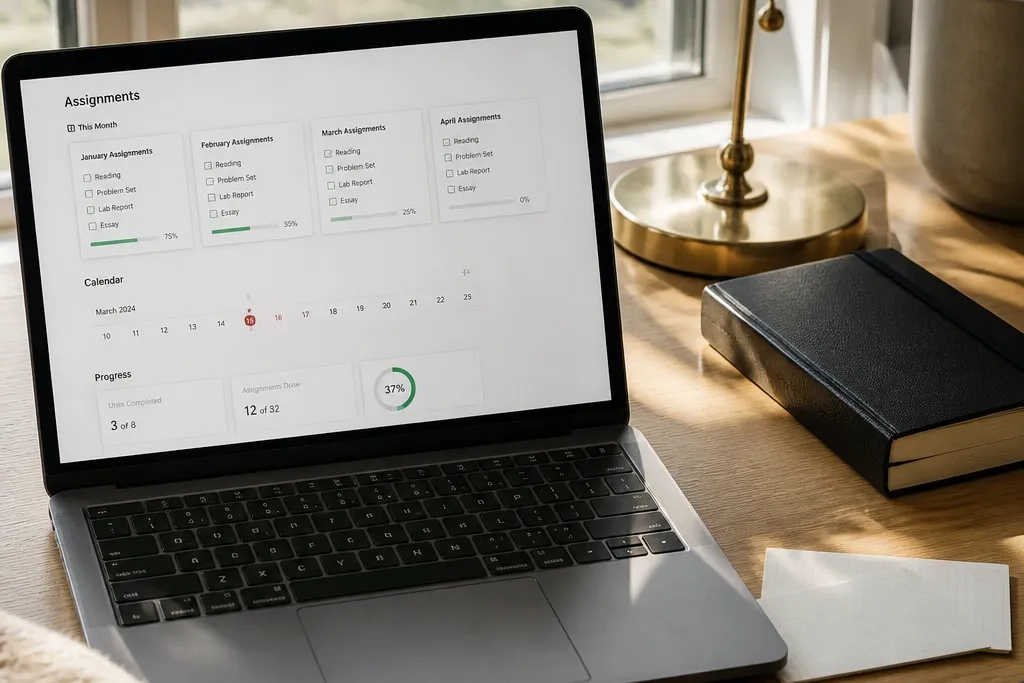
If your goal is a system that looks good and keeps you moving, this is the template to copy. The tracker uses a simple database for assignments and a progress display that ties completed work to total work per class. It’s attractive because you get clean, consistent rows plus a “completed so far” visual. You can set it up so each course page shows a progress summary at the top, which makes your workspace look alive instead of flat. This works year-round because the database grows automatically as you add new assignments.
Step 1: Create an Assignments database with properties: Assignment (title), Course (select), Due date (date), Status (select), and Priority (select). Step 2: Add a relation from Courses to Assignments (so each course page can show only its assignments). Step 3: Create a template button for new assignments that pre-fills Course and Status. Step 4: Add a “Progress” section using a rollup that counts completed assignments and total assignments per course, then display it as a percentage in a property.
Keep Priority to three values: Low, Medium, High. More choices make the list harder to scan.
Avoid free-text status. If Status is a select, your filters stay sharp and pretty.
4. Exam Countdown Page With Daily Checkpoints
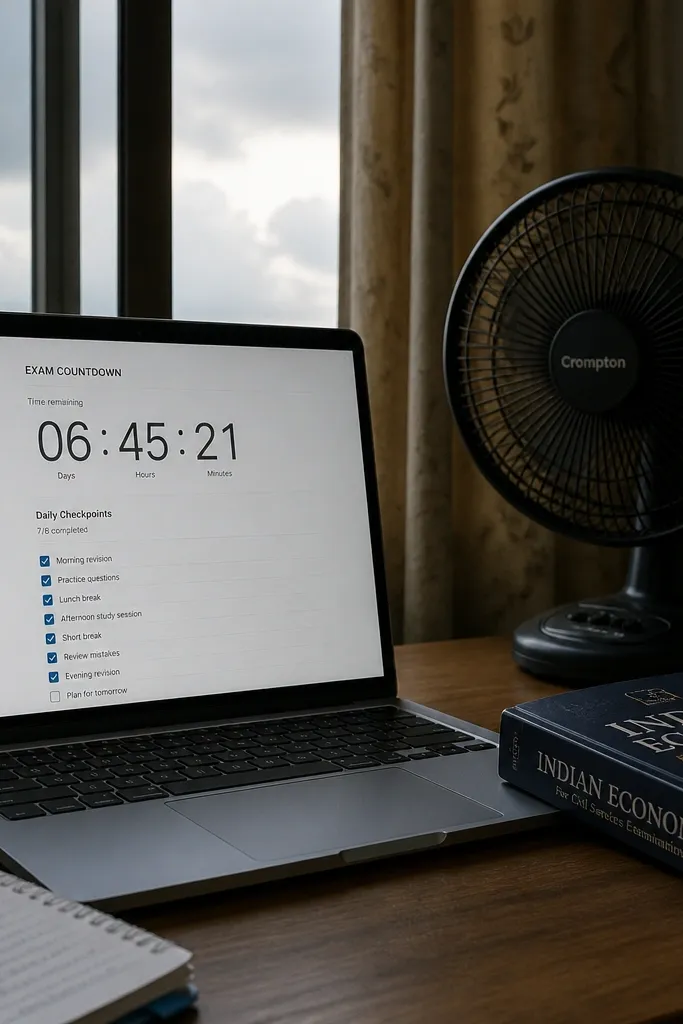
Step 1: Create a database called Exam Sessions with fields: Exam (title), Date (date), Course (select), and Key Topics (text). Step 2: On an exam page template, add a big property view for Days left calculated from Date to today. Step 3: Create a Daily Checkpoints section as a related database filtered to that Exam Session. Step 4: Use a template button to generate 10-20 checkpoint rows with a default Status of “Planned.”
This template is built for the last weeks of a semester when motivation dips and your page needs to look focused. The design is minimal: one big countdown area, then a checklist that breaks studying into daily checkpoints. It’s photogenic because the countdown is visually dominant and the checklist stays neat with consistent checkbox spacing. For year-round Notion Template Ideas, you can reuse the exact structure for midterms, finals, and any big project. Copy it once, then duplicate the page per exam.
Skip thisDon’t put everything into one giant checklist. Daily checkpoints keep the page visually clean.
Editor's noteWrite checkpoints as verbs with specific scope, like “Solve 12 practice problems,” not “Study math.”
5. Reading Notes With Quote Blocks and Margin Tags
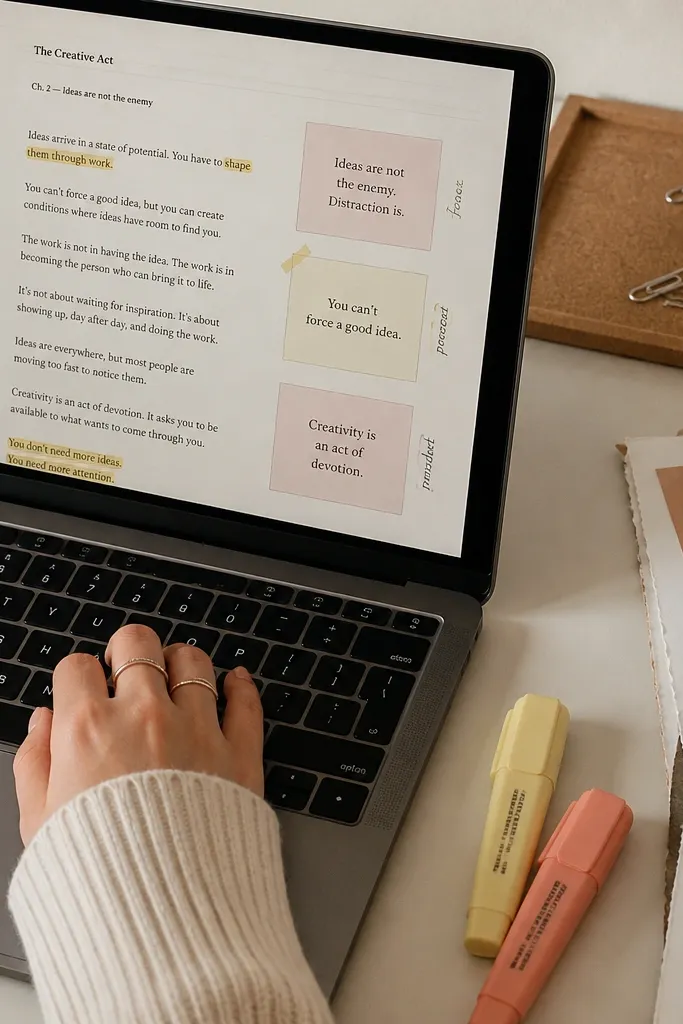
This template looks great because it treats notes like a scrapbook: quote blocks, clean spacing, and small tags that cluster ideas. It’s ideal for classes that assign readings you need to reference later for discussions or essays. The template helps you avoid vague notes by forcing a consistent structure: quote, meaning, and where it shows up in your assignment. It supports year-round Notion Template Ideas because you can keep the same note format across different subjects. Each note page stays visually consistent, which makes your library easy to browse.
Step 1: Create a database called Reading Notes with properties: Reading (title), Author/Source (text), Course (select), Quote (text), Theme tags (multi-select), and Page/Section (text). Step 2: In a Reading Notes template page, format Quote as a separate text block with a background color highlight and large line spacing. Step 3: Add two linked sections: “This theme” view (filtered by Theme tags) and “For assignments” view (filtered by Course and Due date). Step 4: Use a relation from Assignments to Reading Notes so you can attach sources to papers.
Limit theme tags to 5 max per reading. Fewer tags make the library look organized.
Avoid writing full paragraphs in the Quote field. Keep it short so the quote blocks stay photogenic.
6. Lab Notebook With Date Entries and Equipment Checklist
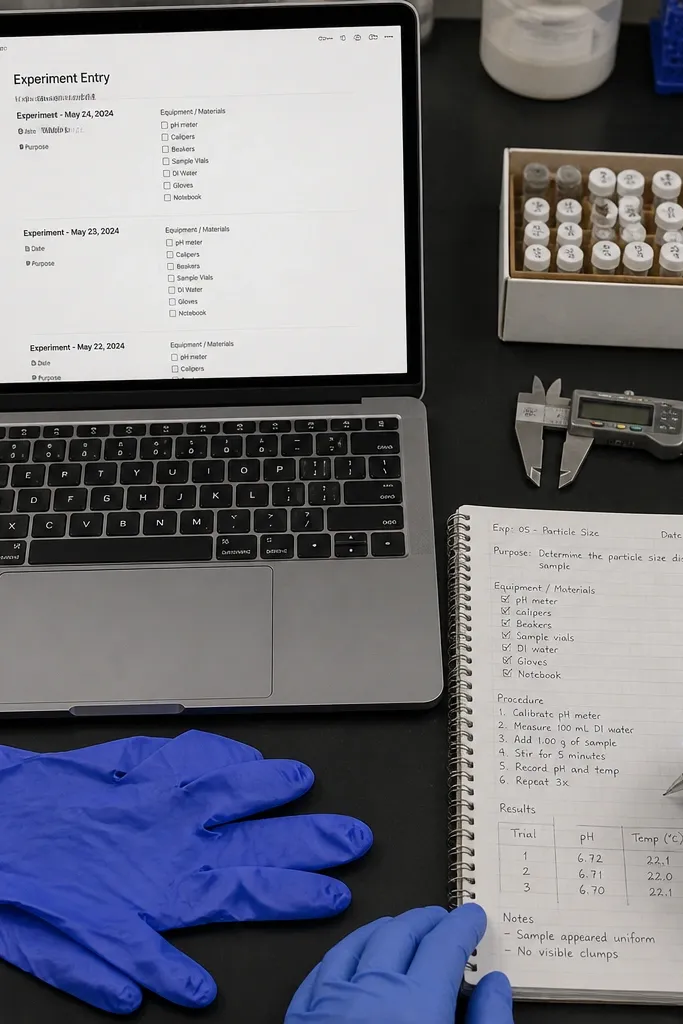
Step 1: Create a database called Lab Entries with fields: Experiment (title), Date (date), Course (select), Equipment (multi-select), Procedure notes (text), Results (text), and Errors/Notes (text). Step 2: Add a page template that displays Date and Experiment at the top, then a checklist-style block for Equipment using a relation or multi-select displayed as tags. Step 3: Link from a Course page to a filtered view of Lab Entries sorted by Date descending. Step 4: Add a “Next steps” section that you fill right after results.
Students in science and tech classes need a system that captures details fast, and this template does it without ugly clutter. It uses dated entries with a consistent top section for experiment name, then a checklist for equipment and materials. It looks good because each entry has the same structure and spacing, so your page stays scannable. For year-round Notion Template Ideas, lab formats repeat: setup, procedure, results, and notes. You’re copying that repeat structure once and using it all year.
Skip thisDon’t scatter results across random blocks. Keep Results and Errors in fixed sections every time.
Editor's noteUse consistent equipment names (exact spellings). It makes your equipment filter actually useful.
7. Budget-Style Monthly Study Plan With Bars

Step 1: Create a database called Monthly Goals with properties: Month (date set to first of month), Goal (title), Course (select), Target (number), Completed (number), and Status (select). Step 2: Add a view called “Month at a glance” that groups by Month and sorts by Course. Step 3: Create a formula property for Percent complete = Completed / Target and display it as a progress bar. Step 4: Duplicate the monthly page each month and link it to the Month filtered view.
This template turns study goals into something you can see at a glance, like a budget tracker. The structure uses monthly goals with bar-style progress, so your page looks tidy and satisfying. It’s great for year-round Notion Template Ideas because the month format repeats and doesn’t care what class you’re in. You set goals like “Practice problems” or “Draft outline,” then track completion. The aesthetic comes from clean progress bars, consistent goal rows, and a simple header that stays the same every month.
Skip thisAvoid vague targets like “study more.” Targets need numbers so the progress bars are real.
Editor's notePick one metric per goal, like number of problems or pages. Mixing metrics makes bars meaningless.
8. Dorm Essentials Packing List With Season Toggles

This is a student-life template that looks good because it’s organized by season and by category, not by random items. It’s perfect for year-round Notion Template Ideas because you’re packing for different realities: fall layers, winter gear, spring cleaning, summer travel. The template keeps you from forgetting basics by grouping items under clothing, toiletries, tech, and documents. It also photographs well because checklists are clean and categories are separated with headers and subtle spacing. You can keep it as one master page and duplicate a “Trip checklist” view.
Step 1: Create a database called Packing Items with properties: Item (title), Category (select), Season (select), Quantity (number), and Notes (text). Step 2: Create a page template with a segmented control style using a filter view per Season (Fall, Winter, Spring, Summer). Step 3: Add a relation from a Trips database (Trip name, Dates, Destination) to Packing Items so you can generate a trip list by selecting items needed. Step 4: Use a “Checklist” view sorted by Category and grouped by Category.
Add a “Last packed” date property so you can rotate items and keep the list fresh.
Avoid one giant checklist with no category headers. It stops reading like a system.
9. Project Hub With Kanban Columns and Milestone Cards
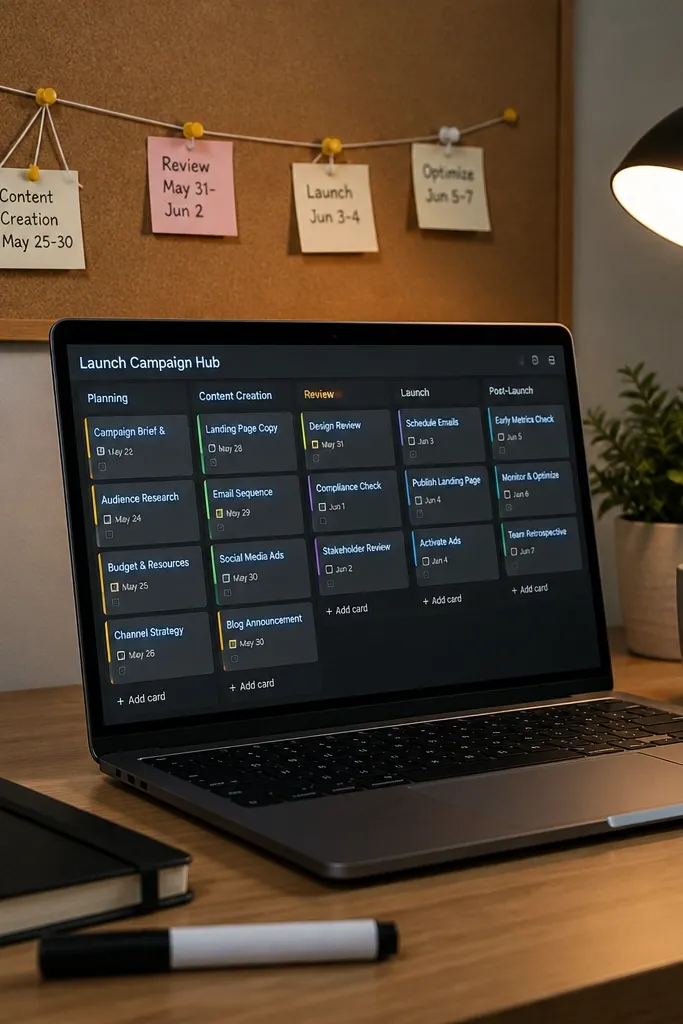
Step 1: Create a database called Project Milestones with properties: Project (title as relation), Milestone (title), Status (select with columns like Not started, Doing, Done), Due date (date), Owner (select), and Checklist (text). Step 2: Build a board view grouped by Status. Step 3: Create a Project page template that shows the board filtered to that Project and a “This week” list filtered by Due date. Step 4: Add a template button for new milestones that auto-sets Status to “Not started.”
If your workload includes group projects, this template gives you a clean, visual workflow that keeps everyone aligned. The Kanban layout is photogenic because it has clear columns, consistent card sizes, and milestone titles you can read quickly. Milestones make your project feel real instead of one endless to-do list. For year-round Notion Template Ideas, you can reuse the same board structure for essays, design projects, internships, and research. Copy it once, then duplicate per project with different labels.
Skip thisDon’t put dependencies in the title. Put them in a dedicated field so cards stay short.
Editor's noteKeep milestones to 1-3 day scopes for solo work. If milestones are huge, the board looks empty too long.
10. Class Notes Library With Subject Tabs and Clean Tags
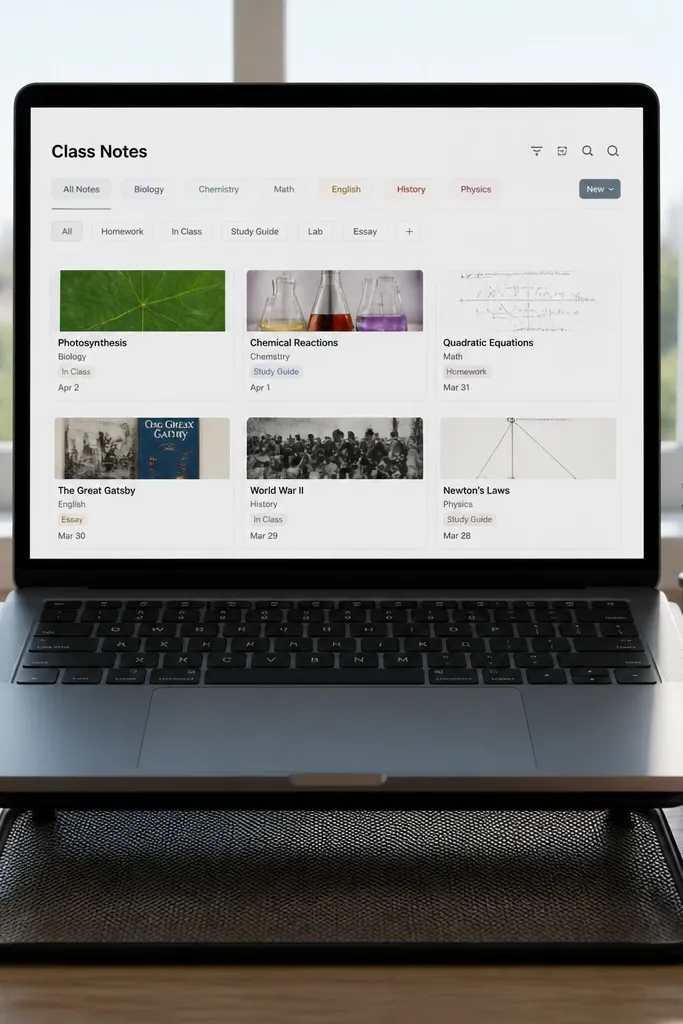
Step 1: Create a database called Class Notes with properties: Note title, Course (select), Subject tag (multi-select with 6-10 options), Date (date), and Summary (text). Step 2: Add a page called Notes Library with linked views filtered by Course. Step 3: Create a “Subject” view sorted by Date descending and grouped by Subject tag. Step 4: On each note page, add a fixed section for Summary and a smaller section for Key terms (as multi-select).
This template is for students who collect notes across multiple classes and then can’t find anything later. The aesthetic comes from subject tabs and tag-based filtering, so your library stays organized and visually consistent. You get a clear browsing experience: choose subject, scan note cards, open what you need. For year-round Notion Template Ideas, this structure works across semesters because tags and subject categories are stable even when teachers and topics shift. It also keeps your notes from turning into a single endless dump.
Skip thisAvoid free-form tags with inconsistent spelling. Pick tag names once and stick to them.
Editor's noteUse tags for topics, not for vibes. “Exam prep” and “definitions” are better than “important.”
11. Study Session Timer Page With Focus Goals
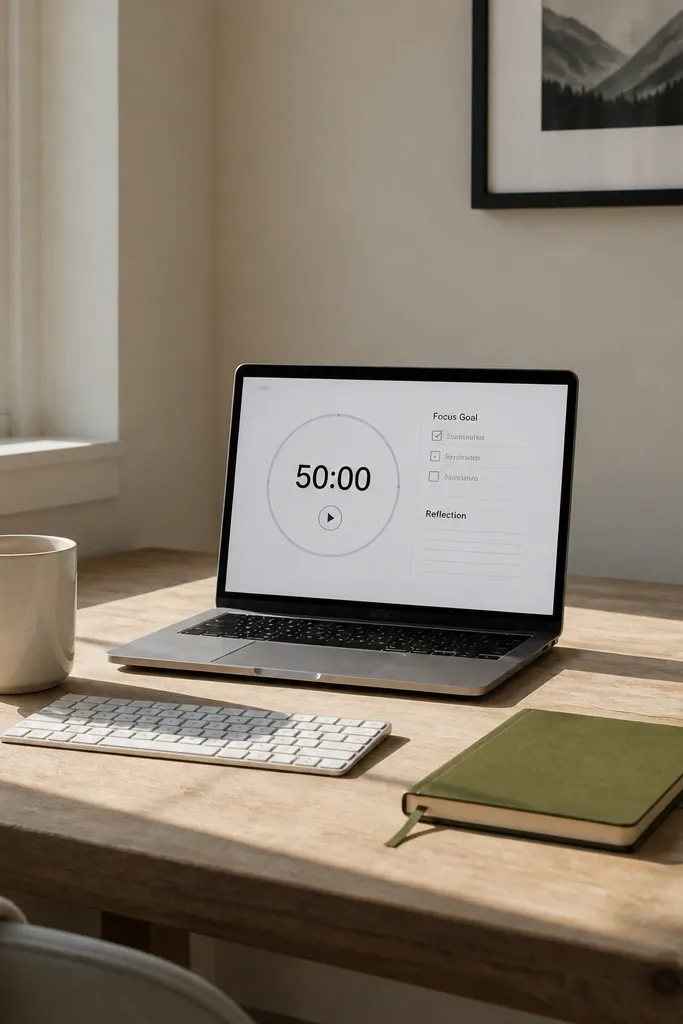
Step 1: Create a database called Focus Sessions with properties: Session date (date), Duration (number in minutes), Focus goal (title), Method (select like Pomodoro, Deep work), and Outcome (select). Step 2: Add a template that shows a “Goal” checkbox list and an “Outcome” select. Step 3: Link the database to a week view filtered to the current week. Step 4: Add a small reflection text block for what worked and what to change next time.
This template looks minimal and intentional, like a study station. It’s great for students who sit down, start working, then drift because they never set a clear focus goal. The design uses a single session page with a goal checklist and a short reflection area. For year-round Notion Template Ideas, the structure repeats daily and stays consistent, so you can duplicate the page for each session. It’s photogenic because it stays mostly blank until you fill it — the layout itself does the work.
Skip thisDon’t add a huge notes section. Keep it short or the page loses that clean, focused look.
Editor's noteWrite the focus goal as a deliverable, like “Finish problem set section 2,” not “Work on homework.”
12. Volunteer and Club Calendar With Event Attachments

Step 1: Create a database called Events with fields: Event name (title), Date (date), Club (select), Type (select), RSVP status (select), and Notes (text). Step 2: Create an event page template with sections for “What to bring,” “Notes,” and “Links/Attachments.” Step 3: Add a relation from Events to a Tasks database if you want prep tasks tied to events. Step 4: Build a Club page view that filters Events by Club and sorts by Date ascending.
This template keeps your extracurricular life organized without turning into a chaotic feed. It has a calendar view for events and an event page layout with space for notes, sign-ups, and attachments like flyers. It’s photogenic because event cards are consistent and the event page uses a clear top header plus structured sections. For year-round Notion Template Ideas, clubs run on repeated cycles: meetings, deadlines, shifts, and prep tasks. You can keep the same template and just update the event list each term.
Skip thisAvoid mixing club and class events in one database if you want clean filters and nicer-looking views.
Editor's noteAdd a “Type” field like Meeting, Volunteer shift, Deadline. It makes your calendar easier to scan.
13. Financial Aid Tracker With Document Status Tiles
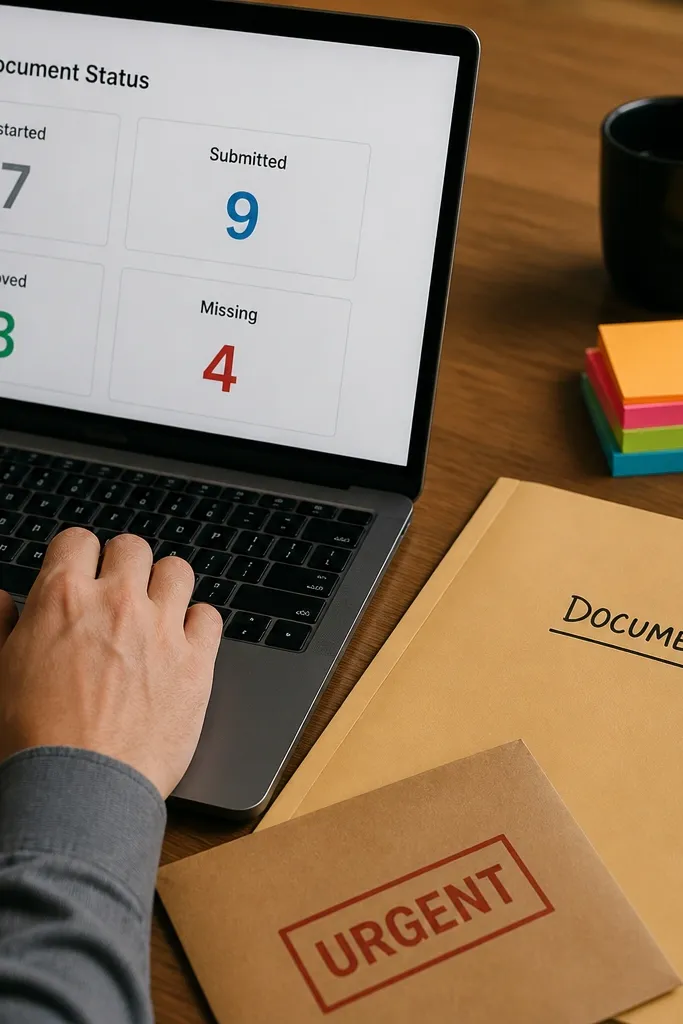
This is one of the most useful year-round Notion Template Ideas for students because deadlines and documents pile up fast. The template uses a tile-like layout where each required document has a clear status: Not started, Submitted, Approved, Missing. It’s visually satisfying because you can scan tiles quickly and see progress without reading paragraphs. The structure helps you avoid the classic problem of losing track of which forms you’ve sent. It looks clean and professional, which matters when you’re dealing with forms and paperwork.
Step 1: Create a database called Aid Documents with properties: Document (title), School year (select like 2026-2027), Status (select), Due date (date), and Folder link (URL). Step 2: Add a page template called Aid Tracker that has a filtered view grouped by Status. Step 3: Create a “Missing” view that filters Status to Missing and sorts by Due date. Step 4: Add a button template to create a document entry with a pre-filled School year.
Use a Folder link field so you can jump straight to Google Drive or your email search results.
Don’t track documents as plain text in a checklist. Status filters only work if Status is a select.
14. Essay Planner With Outline Sections and Source Links
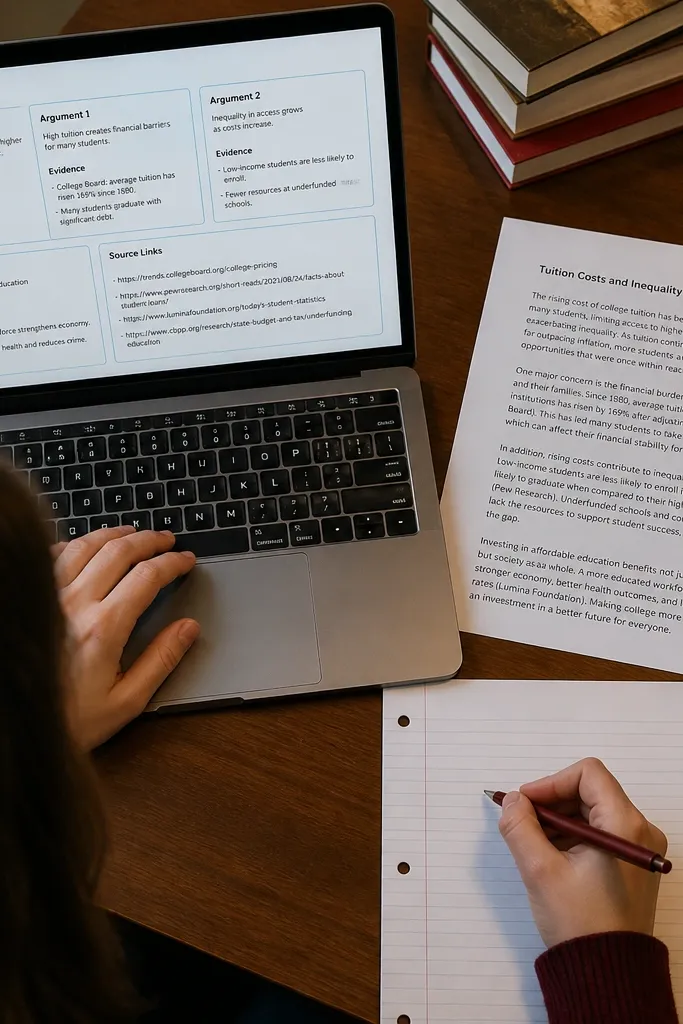
Step 1: Create a database called Essays with properties: Essay title (title), Course (select), Due date (date), Status (select), and Word goal (number). Step 2: On the essay page template, add an outline section with three linked views from a database called Outline Sections filtered by Essay. Step 3: Create a database called Sources with properties: Source name (title), Course (select), Theme tags (multi-select), and Quote snippets (text). Step 4: Add a Sources view filtered by Course and allow linking a source to specific outline sections via relations.
This template is built for writing assignments that span weeks, so it keeps you from redoing the same outline every time you open your notes. The layout has a clear outline section with placeholders for thesis, arguments, and evidence, plus a source links area. It looks good because each outline section is separated and the sources sit in a tidy list you can filter by theme or course. For year-round Notion Template Ideas, you can duplicate the essay page for each paper and keep the same structure. It’s also practical: it ties sources to sections so you don’t hunt for citations later.
Skip thisAvoid dumping sources into one long list with no tags. Filterable sources keep this template looking sharp.
Editor's noteWrite argument section titles as claims, like “Claim: X causes Y,” so your outline reads like the finished paper.
15. Exam-Ready Cheat Sheet Studio With Fold-Out Panels
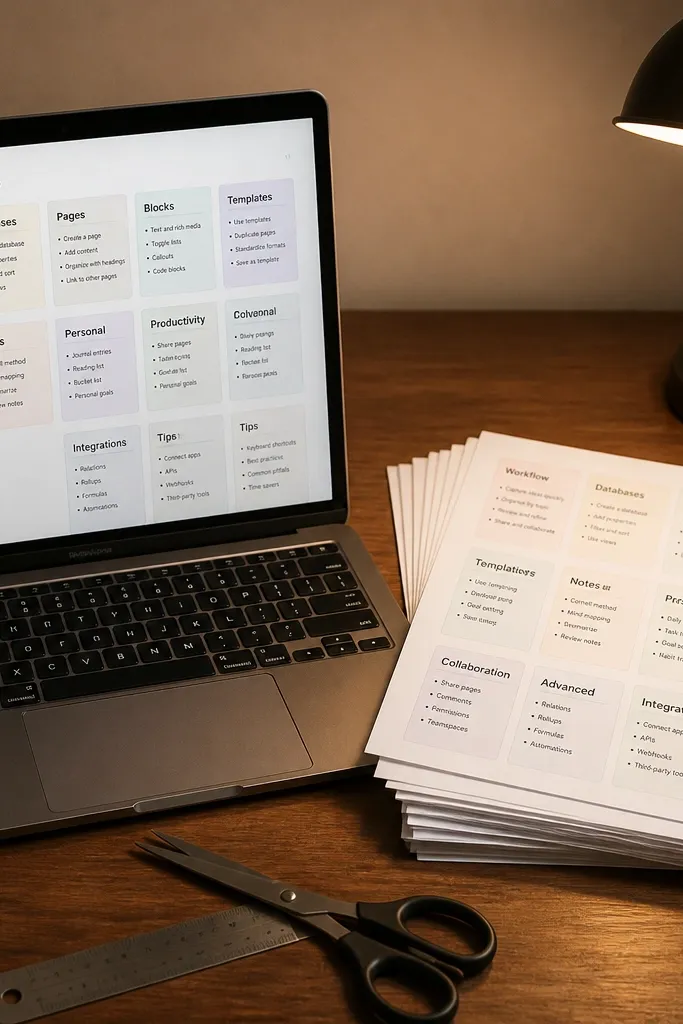
1) Create a new Notion page called Cheat Sheet Studio, then add a table view database named Panels with columns: Subject (select), Topic (text), Panel Type (select with options Formula, Process, Definitions), and Content (rich text). Set the database to display as cards with a Subject icon and a one-line Topic preview so each card looks scannable. 2) Build 3 linked views for the page using filtered views: one for Formula panels, one for Process panels, and one for Definitions panels; keep them in a stacked order so the page reads like a printable booklet. 3) For each card, use a fixed layout: a bold title line, a small inline “When to use” line, then a callout block for the formula or steps, and a final one-sentence example prompt. 4) Add a “Print Mode” toggle using a checkbox property in the database and a separate view that shows only cards marked for printing; this keeps the page clean when you’re studying on-screen.
This is a year-round Notion Template Idea for students who freeze when an exam is close. You build one clean “Cheat Sheet Studio” page that turns your notes into fold-out panels you can print or review on a phone. It fixes the problem of scattered summaries by forcing every topic into the same visual layout, so your brain finds it fast. The look matters here — each panel is a card with a bold header, a tight formula block, and a short “how to use this” line so it reads like a quick reference, not a wall of text. It takes about 45-75 minutes to set up once, then you reuse the template every term for different classes.
Skip thisDon’t paste full lecture notes into panels. Cheat Sheet Studio works when each panel is a quick reference, not a replacement for studying.
Editor's noteUse Notion callouts for formulas and keep them short — 2-5 lines max per panel. If it’s longer, split it into two panels so the card stays readable on a phone.